
Documentation Index

Fetch the complete documentation index at: https://mintlify.com/metabase/metabase/llms.txt

Use this file to discover all available pages before exploring further.

The Metabase React Embedding SDK provides pre-built components for embedding different types of Metabase content. Each component comes with multiple variants for different levels of interactivity.

Questions

Questions (also called charts or visualizations) can be embedded in two ways:

StaticQuestion

A lightweight question component that displays results without interactivity. Use this when you want to show data without letting people explore it.
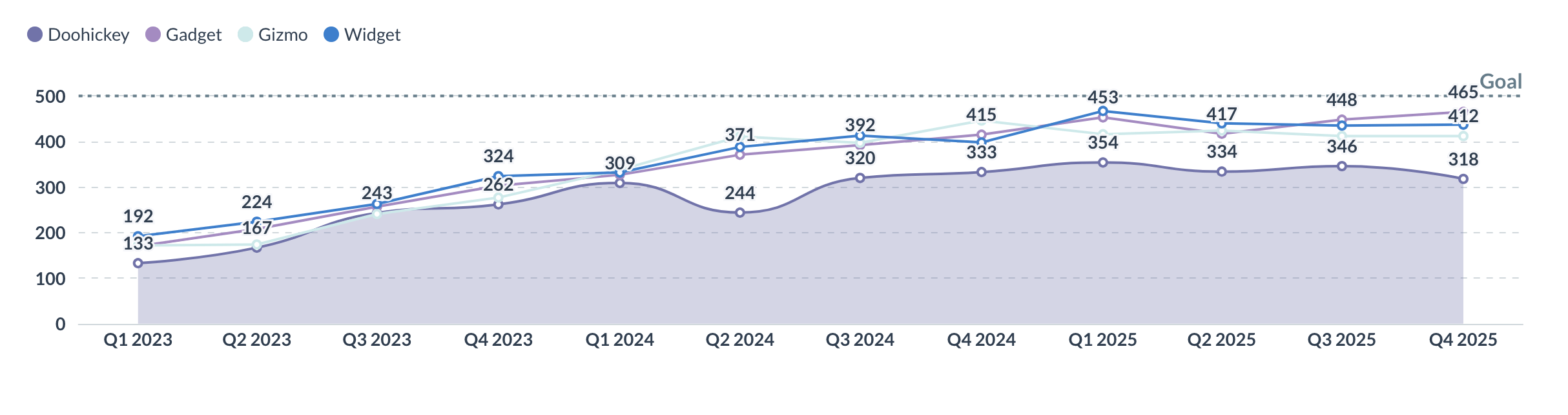
Static question component
Best for:
  • Displaying charts in dashboards or reports
  • Read-only analytics views
  • When you don’t need drill-through or exploration
import { StaticQuestion } from "@metabase/embedding-sdk-react";

export default function Analytics() {
  return (
    <StaticQuestion
      questionId={42}
      showVisualizationSelector={false}
      height={400}
    />
  );
}

Key props

questionId
number | 'new' | 'new-native'
required
The ID of the question to display, or 'new' for visual query builder, or 'new-native' for SQL editor
height
number | string
Height of the component (default: 400)
withAlerts
boolean
Allow users to set up alerts on this question
initialSqlParameters
object
Pass parameter values to SQL questions in the format {parameter_name: parameter_value}

InteractiveQuestion

A fully interactive question component with drill-through, filtering, and editing capabilities. Use this when you want to allow data exploration.
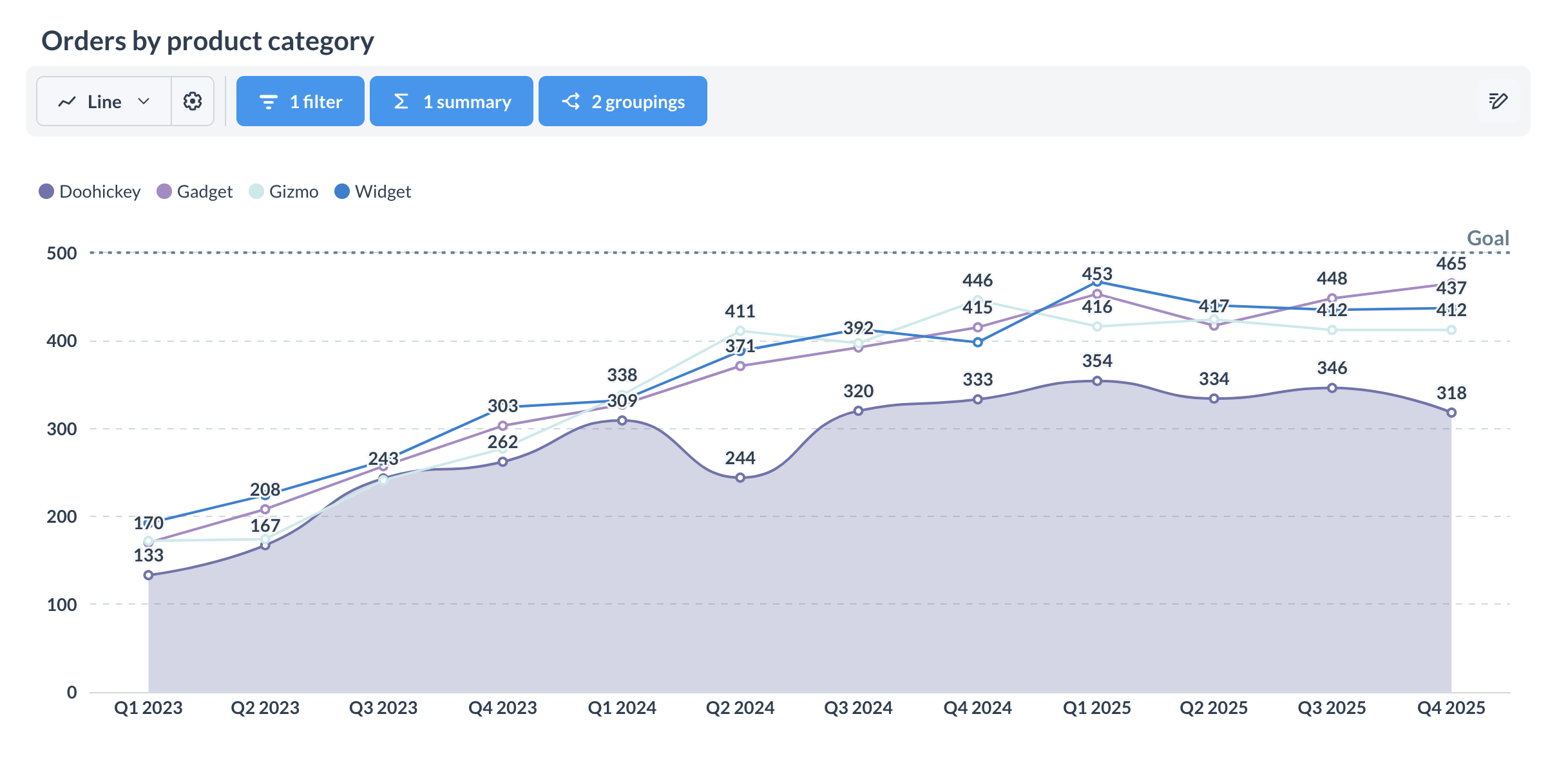
Interactive question component
Best for:
  • Self-service analytics
  • Ad-hoc exploration
  • Query builder access
  • When you need full Metabase functionality
import { InteractiveQuestion } from "@metabase/embedding-sdk-react";

export default function Explore() {
  return (
    <InteractiveQuestion
      questionId={42}
      isSaveEnabled={true}
    />
  );
}

Customizing interactive questions

You can customize the layout using namespaced components:
import { InteractiveQuestion } from "@metabase/embedding-sdk-react";

export default function CustomQuestion() {
  return (
    <InteractiveQuestion questionId={42}>
      <div style={{ display: "flex", flexDirection: "column", height: "100%" }}>
        <div style={{ display: "flex", gap: "1rem", padding: "1rem" }}>
          <InteractiveQuestion.BackButton />
          <InteractiveQuestion.FilterDropdown />
          <InteractiveQuestion.SummarizeDropdown />
          <InteractiveQuestion.SaveButton />
        </div>
        <div style={{ flex: 1 }}>
          <InteractiveQuestion.QuestionVisualization />
        </div>
      </div>
    </InteractiveQuestion>
  );
}

Available sub-components

BackButton

Navigate back to previous view

Filter

Filter panel component

FilterDropdown

Filter dropdown button

Summarize

Summarize panel component

SummarizeDropdown

Summarize dropdown button

Breakout

Breakout panel component

BreakoutDropdown

Breakout dropdown button

SaveButton

Save question button

QuestionVisualization

The main visualization component

Editor

Full query editor panel

EditorButton

Button to open editor

ChartTypeSelector

Chart type selection panel

ChartTypeDropdown

Chart type dropdown button

DownloadWidget

Download results widget

Title

Question title component

Creating new questions

The InteractiveQuestion component supports creating new questions:
<InteractiveQuestion questionId="new" />
Opens the visual query builder for creating questions without writing SQL.

Passing SQL parameters

For SQL questions with parameters, use the initialSqlParameters prop:
<StaticQuestion
  questionId={42}
  initialSqlParameters={{
    user_id: 123,
    date_range: "2024-01-01"
  }}
/>
initialSqlParameters only works with native SQL questions, not query builder questions.

Enabling alerts

Allow users to set up email alerts on questions:
<StaticQuestion questionId={42} withAlerts />
Alerts require email configuration in Metabase and only work on saved questions.

Dashboards

Dashboards can be embedded with three levels of interactivity:

StaticDashboard

A lightweight dashboard component for displaying results without interactivity.
import { StaticDashboard } from "@metabase/embedding-sdk-react";

export default function Report() {
  return (
    <StaticDashboard
      dashboardId={1}
      initialParameterValues={{ status: "active" }}
    />
  );
}
Best for:
  • Read-only reports
  • Executive dashboards
  • Public-facing analytics

InteractiveDashboard

A dashboard with drill-downs, click behaviors, and the ability to view questions.
import { InteractiveDashboard } from "@metabase/embedding-sdk-react";

export default function Analytics() {
  return (
    <InteractiveDashboard
      dashboardId={1}
      withTitle
      withDownloads
    />
  );
}
Best for:
  • Self-service analytics
  • Data exploration
  • When you need drill-through

EditableDashboard

A fully editable dashboard that allows users to modify layout, add questions, and update content.
import { EditableDashboard } from "@metabase/embedding-sdk-react";

export default function AdminPanel() {
  return (
    <EditableDashboard
      dashboardId={1}
    />
  );
}
Best for:
  • Admin panels
  • Dashboard builders
  • When users need to create/modify dashboards

Dashboard props

dashboardId
number
required
The ID of the dashboard to display
initialParameterValues
object
Set initial values for dashboard filters
withTitle
boolean
Show or hide the dashboard title
withDownloads
boolean
Allow downloading dashboard data
hiddenParameters
string[]
Array of parameter names to hide from view

Customizing dashboard height

By default, dashboards take full page height (100vh). Override with custom styles:
<InteractiveDashboard
  dashboardId={1}
  style={{ height: "600px" }}
/>

// Or with className
<InteractiveDashboard
  dashboardId={1}
  className="my-dashboard"
/>

Customizing drill-through layout

When users drill through or click on a dashboard card, customize the question view:
<InteractiveDashboard
  dashboardId={1}
  renderDrillThroughQuestion={(questionView) => (
    <div className="custom-drill-through">
      <div className="toolbar">
        <InteractiveQuestion.BackButton />
        <InteractiveQuestion.FilterDropdown />
        <InteractiveQuestion.SaveButton />
      </div>
      <div className="visualization">
        {questionView}
      </div>
    </div>
  )}
/>

Creating dashboards

Use the useCreateDashboardApi hook or CreateDashboardModal component:
import { useCreateDashboardApi } from "@metabase/embedding-sdk-react";

function DashboardCreator() {
  const createDashboard = useCreateDashboardApi();

  const handleCreate = async () => {
    const dashboard = await createDashboard({
      name: "My Dashboard",
      description: "A new dashboard",
      collectionId: 1
    });
    console.log("Created:", dashboard);
  };

  return <button onClick={handleCreate}>Create Dashboard</button>;
}

Collections

The collection browser component allows users to navigate collections and open dashboards or questions.
The browser component is only available for authenticated modular embeds (SSO), not guest embeds.
import { CollectionBrowser } from "@metabase/embedding-sdk-react";

export default function Explorer() {
  return (
    <CollectionBrowser
      initialCollection={14}
      readOnly={false}
      collectionEntityTypes={["collection", "dashboard", "question"]}
    />
  );
}

Collection props

initialCollection
number
The ID of the collection to show initially
readOnly
boolean
Whether to allow editing collections
collectionEntityTypes
array
Types of entities to show: 'collection', 'dashboard', 'question', 'model'

AI chat

Embed the AI chat interface (Metabot) for natural language queries.
AI chat is only available for authenticated modular embeds (SSO) on Pro and Enterprise plans.
import { Metabot } from "@metabase/embedding-sdk-react";

export default function AIAssistant() {
  return (
    <Metabot />
  );
}
The Metabot component provides a chat interface where users can ask questions in natural language and get visualizations as responses.

Customizing loader and error states

Provide custom components for loading and error states:
import { MetabaseProvider } from "@metabase/embedding-sdk-react";

const CustomLoader = () => (
  <div className="custom-loader">
    <Spinner />
    <p>Loading analytics...</p>
  </div>
);

const CustomError = ({ error }) => (
  <div className="custom-error">
    <h3>Oops! Something went wrong</h3>
    <p>{error.message}</p>
  </div>
);

export default function App() {
  return (
    <MetabaseProvider
      config={config}
      loaderComponent={CustomLoader}
      errorComponent={CustomError}
    >
      {/* Your embedded components */}
    </MetabaseProvider>
  );
}

Best practices

1

Choose the right component variant

Use static components for read-only views and interactive components when you need exploration capabilities.
2

Customize layouts thoughtfully

When using custom layouts with InteractiveQuestion or drill-through customization, ensure all necessary controls are accessible.
3

Handle loading states

Provide custom loader components that match your app’s design system.
4

Consider permissions

Remember that UI controls don’t replace proper permissions—users can still access data through the API if they have the session token.
5

Test interactivity

If using interactive components, test drill-through, filtering, and other interactive features thoroughly.

Next steps

Question plugins

Customize click actions on questions

Dashboard plugins

Add custom actions to dashboard cards

Theming

Customize component appearance

Authentication

Set up SSO for production